


Click covers for info. Copyright (C) Rudy Rucker 2021.


Author Archive

Podcast #58. NESTED SCROLLS, “The Birth of Transrealism.” SF in SF.

Saturday, January 15th, 2011

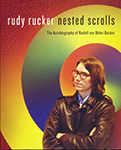
Jan 15, 2011.Reading the “Birth of Transrealism” chapter from my memoir, NESTED SCROLLS, at the regular SF in SF gathering in San Francisco. Taped and posted by Rick Kleffel, for his “Agony Column” blog.

Play

Subscribe to Rudy Rucker Podcasts.


Podcast #57. (#56 is Gone). Interviewed On Projects, by Rick Kleffel.

Saturday, January 15th, 2011

The audio for Pocdast #56 is lost, so onward to #57!

Jan 15, 2011. Rick Kleffel interview Rudy about THE WARE TETRALOGY, his webzine FLURB, his 2011 memoir NESTED SCROLLS, and his 2011 novel JIM AND THE FLIMS.

Play

Subscribe to Rudy Rucker Podcasts.


Ripping Vinyl to MP3s for iTunes.

Thursday, January 13th, 2011

I link to this page from a new post on February 18, 2014. And I revised this page here, as well.

This post goes with another post called, Managing Music in iTunes.

My goal is to document how I got about ripping my old vinyl records into mp3 files that I can run through iTunes to get them onto my iPhone for playing the car and through my stereo, etc. It’s been two years since I did this, and I’m glad I documented the process at that time, as this kind of info has a very short half-life, that is, I forget the tedeious details. So now, in 2014, I’m tacking another what at my vinyl lode, and I’m updating this info.

And I link into these two info pages from a

By the way, the first album I ripped, back in 2012, was the first one I ever bought, Go Bo Diddley, purchased fifty years ago when I was 14. “Crackin’ Up.” [Apparently people can post copyrighted songs on YouTube because the users don’t get to keep the song, they only get to listen to it stream from the site.]

Don’t you think this dino looks like a triumpant Joey Ramone? He learned how to rip his vinyl, which is shy he’s so glad. You might select the following text block and have your browser do a Print | Selection for a handy sheet-of-paper guide for your ordeal.

(1) You can use a regular (non-USB) turntable, but it’s advisable to have a little pre-amp box about the size of a pack of cigarettes. The turntable sends two plugs into the pre-amp, and you run two lines out of the pre-amp. You need a two-to-one connector to hook the pre-amp to your computer. This looks like a single jack, but it is in fact carrying sterio. This 2-to-1 connector wire can be the same one that you might use to plug your one-socket iPod or iPhone into the two stereo input jacks of a living-room sound-system amplifier, although when you do that, you’re using the connector the “other way around.”

(2) You use the two-to-one connector to run from the pre-amp into the “Line In” jack that you can find on the exposed back of your sound card on the back of your desktop computer. Most laptops don’t have a Line In jack. You don’t want to use a “Microphone” jack, as that won’t pass the stereo through.

(3) You get the free software Audacity for Windows , Linux or Mac. You fire up Audacity and set the Speakers selector in the menu bar just to Speakers (this is just for monitoring), and you set the Microphone selector to “Line In.” SEt the right most selector to “2 Stereo Input Channels.” Click on the round button to start recording. A moment later, put your needle onto your turntable and let your record play. You can see the wiggles of the sound on the Audacity screen, and you can set the computer to pass the Line In sound out to your computer speakers to monitor waht’s going on. This always takes me awhile and I always forget how I did it. But now I just figured it out yet again, so I’ll write it down. I’m using Windows 7 (and I can’t help you with the Mac OS0. I go to the Windows Control Panel, open the Sound dialog, go to the Recording sheet, right click on Line In, click on Properties, go to the Listen sheet, and click Listen To This Device. Simple, huh? See the Audacity turorial files for help on recording a record on your computer.

(4) Tape both sides of the record into a single file, probably using separate tracks for side on and side two. The different tracks are different horizontal graphs of squiggles. Check the Audacity tutorial about setting the sound level, basically you slide the “microphone” slider in the upper right until the dancing horizontal sound bars are almost but not quite hitting the right ends of the indicators. If you stop and start and make several tracks in your Audacity screen, it’s okay as later when you export, it’ll handle them all. But be sure to make a new track start at the time point where the previous one stops, otherwise you’ll end up hear two tracks at once. You can use Tracks | Alight Tracks | End to End to line up the tracks. ( You might want to do Ctrl+A to select all and run the Effect | Click Removal and maybe Effect | Normalize to clean up your track. YOu can even screw around with Noise Removal and Equalize, but I tend not to run any of the filters, as I don’t really know what I’m doing, and I worry about degrading the original vinyl sound.) Now to save as separate songs. You have to show Audacity where the breaks between songs are, see the Audacity help on this. The easiest way to do this is by hand, inserting labels. There’s an automatic Analyze | Find Silences control you can use, but it doesn’t work very well because vinyl really never is silent anywhere. So I put the labels in my hand, sometimes looking at the song list on the album to make sure I get the right count. I don’t bother putting song names in the labels, just leave them blank, Audadicty can put in numbers for the labels when you save, which keeps them in the right track order. You save the recording into separate files, one for each song. You can use the “Export Multiple…” command, sending the files into a reasonable directory like Music\Bo Diddley\Go Bo Diddley, as numbered files. To give the files reasonable automatic names, check the “add number after file name prefix” and type in a prefix name like rollingstone_letitbleed. And tell Audacity not to ask you about each song, set Edit |Preferences | Import/Export to turn off “Show Metadata Editor prior to each step.” Typically you save the filesin a fairly high quality MP3 format, using the File | Export (as MP3) | Options dialog to use a Variagle bitrate with a target quality of maybe level 5. You can look at file sizes and listen to them to decide. Don’t close your Audacity project file until you’re sure that everything exported properly and is in good shape, and properly trimmed. Or seave the project in a temporary file. You can re-edit and re-export a project as mp3 with no loss in quality. You don’t normally want to SAVE the project file longterm as it’s huge. And you don’t want to re-open and re-edit and re-export an MP3 as every pass through this cycle degrades quality.

(5) Open your newly created directory of (still unnamed) mp3 files with (if you’re a Windows user) the tool mp3tag. Highlight all your tracks and make sure they’re sorted from low track number to high track number (by default it’s often the other way around…you change the sorting by clicking on the “name” heading in the browser). Now you can use the album name to get mp3tag to look up and install the track name metatags for you. There’s various places to search, sometimes you need to try more than one of them. Mp3tag offers several options under the Tag Sources menu item. Don’t try and mess with the freedb option…in my experience it is essentially impossible to get the settings right for freedb. Instead use the MusicBrainz option which is in fact a front end for the freedb data base in any case. Or use the Amazon options. When you find the right list, mp3tag can copy the web data into your track title metatags. And then you can get it to copy the track titles onto the file names. One issue here is that if you skipped some tracks of your album, then your track list won’t match what’s ont he album. The mp3tag program throws up a dialog that lets you adjust the track matches, moving your tracks up and down in play order. I don’t know what the best free Mac tool like mp3tag is, you can find a list of some apparently free options on Softonic, although many “free” wares later turn out not to be. By the way, it doesn’t work very well to import your tracks into iTunes and then ask iTunes to find the track titles for you, as iTunestends to only want to help you with tracks that you bought from theiStore.

(6) Use the File | Add Folder to Library… selection in iTunes to bring your new files into iTunes. You can find a nice album cover with a quick Google image search and paste it into place.

(7) Of course getting control of your iTunes music storage is a whole other (large) issue. I have a page on this topic as well, see my post called, Managing Music in iTunes for Free. The most important step is that you need to use your own directory structure for the music and not let iTunes “manage” the music…which would mean hiding it off in a zillion folders with meaningless encrypted names. But, as a I say, that’s a whole other issue, and I get into it in that other post.

And now…wah-wah-wah of timewarp…this post segues from the 2014 update back to the original post of 2011.

Upcoming event: I’ll be reading “The Birth of Transrealism,” a section from my forthcoming memoir, Nested Scrolls , at 7 PM this Saturday night, January 15, 2011, in San Francisco at the SF in SF gathering in the Hobart Building on Market St. near Montgomery St. and 3rd St. Diana Paxson will be reading as well.

My writing is moving slowly this month. It’s taking some time to ramp back up after the Xmas break. Also I pissed away days and days tweaking my music collection on my computer for my new iPhone, and coming to terms with the obtuse and balky iTunes music management software. And blogging about it, God help me. As an on-going part of the process, I’m “ripping” some vinyl records to files. Converting analog to digital, which is, of course, a good analogue for my lifebox-and-Ware-Tetralogy Digital Immortality kick. I have a brief guide to ripping vinyl at the end of this post.

One cool thing about my novel-in-progress, Turing & Burroughs is that it shows Alan moving against the tide, that is, he’s going from digital computers to analog biocomputations. But the more relevant thing is that it shows something computational (the skugly biocomputation) becoming symbiotic with human life (like people carrying smart phones).

I remain unsure about the over-all plot, which is hanging me up. When I’m lost sat sea in the middle of a book, I fall back on what we used to call “paper-shuffling.” That is, I play with organizational matters. Tidy things up. It’s like—when I lose my wallet, glasses or keys, I can often find them by cleaning up my whole office.

I’ve also been firming up my ever-evolving conceptions about the skugs and their origins, and this involves revisions. It seems a bit much to suppose that the skugs have really strong personalities, as they’re just AI-tweaked networks of biocomputations. I need to keep reminding myself that they’re not alien invaders. This said, I do have the possibility of giving the skugs a hive-mind personality that’s to some extent based on what they pick up over radio and TV signals. This could be a correlative for, e.g., the hive minds you see if you study Twitter or Facebook or Google search results.

Looking ahead, I had been planning to add in a higher level of reality populated by dreamskugs, effectively a second race of odd critters. But yesterday in the car, driving up to Berkeley with my wife, I was telling her about my plans for the book. And when I got to the dreamskugs, she was like, “What!? Don’t do that again, Rudy! One kind of creature is enough. Don’t always overdo it.” And she’s right.

It boggles the mind to think about how many kinds of critters I jammed into each of my last three novels, that is, Postsingular, Hylozoic, and Jim and the Flims. It’s okay and maybe even good that I packed those books with alien eyeball kicks, but it’s a baroque high-SF supercartoon style that I’d like to get away from for Turing & Burroughs. I’d like to see novel one be a more stripped-down. Like a 1950s black and white SF invasion movie. Like Them or the originals of The Fly or The Invasion Of The Bodysnatchers.

But way of opening up my mind to a new conception fo the novel, I moved the second half of my former outline into a new “False Paths” section of my notes for the novel. As I discuss in my free “A Writer’s Toolkit” on my writing page, having this kind of data repository means that I feel less constrained in making brutal cuts and changes to the old outline (or to the text). And thus, today I managed to rewrite my working outline, which is something I’ve been wanting to do for a month. It’s the kind of job that only takes an hour or two when you do it—but getting your head in the right place for the job can take weeks or months.

See some of you Sat nite, I hope.

Digital Immortality Again

Sunday, January 9th, 2011

So, cool, I got a passing mention in the Sunday New York Times Magazine today in an article by Rob Walker, “Cyberspace When You’re Dead,” about various kinds of digital immortality.


[The illos in today’s post, for reasons which will become clear, are my photos used to illustrate a story by Mac Tonnies, “One Hundred Years” which appeared in issue #3 of my online zine, Flurb. Some of the photos are from other stories in the same issue #3. By the way, I’d love to know the name of the artist who painted the wonderful street mural shown above.]

As regular readers will know, I’ve written about themes of software immortality in several contexts. To start with, the four novels in my Ware Tetralogy deal with the notion of copying someone’s mind to another platform. The collection is available in print, as a commercial ebook, and as a free CC ebook.

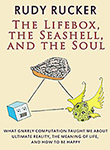
I coined the word “lifebox” in a short story, “Soft Death,” which appeared in The Magazine of Fantasy and Science Fiction in September, 1986. I used it to mean a digital or online simulacrum of a person. I go into considerable detail about the lifebox in my novel, Saucer Wisdom, in my non-fiction book, The Lifebox, the Seashell, and the Soul, and in my 2009 article “Lifebox Immortality” which I co-authored with Leon Marvell. This article has also appeared in a recent issue of h+ magazine.

In a nutshell, my idea is this: to create a virtual self, all I need to do is to (1) Place a very large amount of text online in the form of articles, books, and blog posts, (2) Provide a search box for accessing this data base, and (3) Provide a nice user interface.

I made a first crude stab at this a month ago, with my Rudy’s Lifebox page. This page lets you Google-search my rather large www.rudyrucker.com site.

The “test subject zero” discussed in today’s Times magazine article is Mac Tonnies, who died this year. I was one of Mac’s numerous online friends—you can find the exact extent of this by typing “Mac Tonnies” into the Search box on the Rudy’s Lifebox page mentioned above. Most of the hits are to posts which have comments by Mac at the bottom. And, as mentioned in the caption to first illo on today’s post, I published one of Mac’s stories in my webzine.

As the Times article discusses, some friends of Mac’s have kept his Posthuman Blues blog alive as a kind of lifebox. Note the slightly ominous final post, although Mac liked these kinds of images, so really they aren’t all that ominous in the context of his blog.

The Times article is a harbinger of a trend I’ve been predicting for some time: there’s going to be a small industry based on people building digital memory-shrines for themselves. The Nokia phone company had an early entry into this sweepstakes with their Lifeblog package, but that’s gone now, so far as I know. More recently, I noticed that Hallmark Cards is getting into “memory-keeping products.” And everyone’s heard of Microsoft’s Gordon Bell and his MyLifeBits project.

Some of the links in the Times article are for companies like Entrustet that serve as digital repositories for your “lifebox” data such as online photos or collections of your writings. At this point, some of these services are primarily about cloud-based data-storage, with an immortality spin. These services are expensive, though, and often involve a monthly fee—which you’re likely to stop paying a few years before you die. If you’re interested in pursuing a lifebox plan of your own, here’s a 2016 overview by a group called Cloudwards, comparing the various cloud-based storage services such as Carbonite.

Another company, Deathswitch, will send post-mortem messages to people from you! How do they know when to send the messages? When you stop answering their emails and/or, presumably, when paying the bills they send you. It’s easy to imagine some tragicomic scenarios here—a guy writes angry “Aren’t you sorry now” messages, forgets about it, lets the account lapse. Actually, the idea for the company is grounded on a short-short story “A Brief History of Death Switches” by the company founder David Eagleman.

Back to digital immortality. One way to create a lifebox is, like Gordon Bell, just to save everything you type and photograph everything you see. Another way is to become a writer and to craft a memoir. People in search of shortcuts will turn to companies who purport to help them. A couple of links from entrants into this sweepstakes: LifeNaut and Virtual Eternity. This exercise quickly turns kind of creepy, veering into the Uncanny Valley.

Clearly what’s needed is some solid shareware to layer onto something resembling Google Search. I wrote a little about this in my post on “Chatbots,” and in the comments on the post.

Actually, as the years go by, this whole enterprise of digital immortality seems less important to me than it used to. By now I’m kind of okay with passing away. And, with or without high tech, I’ll be leaving some printed books behind and, even closer to my heart, my children and grandchildren. That oldschool wetware immortality…


Rudy's Blog is powered by WordPress