
Click covers for info. Copyright (C) Rudy Rucker 2021.


Archive for the ‘Rudy’s Blog’ Category

How to Make Ebooks #1. Getting Started (2021 Update with Paperbacks Info Link)

Friday, April 20th, 2012

[Note: I added a few more comments in 2021 to make this post more current. And I included a link to my acculmulated tips on how to make your own paperbacks as well.]

I plan to put up a series of four posts about the topic of how to epublish books on your own. In these posts I’ll focus on doing it all yourself. I’m going to describe the specific series of steps that I’m taking to epublish my Transreal Books.

Don’t take everything I say for gospel. There are many paths through the thickets of epub, and I’m only now beginning to find my way. I first posted on this topic in Fall 2011. And then I wrote this present post in April, 2012, and I did a some revisions to this post in December, 2016.

As of 2016, I’m largely using InDesign to create my ebooks. the reason I use inDesign to make ebooks is that I’m already using it to make print books. But learning to use InDesign was a long process with many, many gotchas.  And getting the EPUB export to work right took awhile too.  I’ve made a lot of notes on this process, and I’ve posted a roughly edited version of these notes online as “Using InDesign for Print and Ebooks.” These notes are kind of sequel to the blog posts you see here.

[Note also that in 2012 I combined, expanded and revised my How To Make an Ebook blog posts to make an ebook called How to Make An Ebook, available on Amazon . But this ebook is, as of 2016, a bit out of date, and I have not, as yet, revised it. For now, this post you are reading is my most up-to-date say on this topic.]

Posting the information seems worthwhile as I’ve really had quite a bit of trouble in learning it. Epublishing abounds with gotchas. But clearly its time has come.

Distribution: Kindle, iBook, Direct

So suppose I have a document and I want to make it into an ebook. Let’s start by describing the steps you can use to distribute your ebook once it’s done.

As of 2016, there are three main channels for distributing ebooks:
(1) Amazon Kindle,
(2) the Apple iBook store.
(3) Your own website. You can create MOBI and EPUB format books so as to reach all existing ereaders.

As of 2019, you can reach all of these markets via a sinble site, Draft2Digital.

Regarding the corporate channels, the ebook market share figures are constantly being debated, revised, and spun. As of 2016, it may be that Amazon sells close to 75% of ebooks, iBook around 12%, with Nook, Kobo and Google Play picking up some crumbs.  And it’s a big hassle to get your books onto iBooks.  So bascially, it’s all about Amazon Kindle.

One thing to keep in mind from the start is that you can distribute through all of these channels for free—provided you have a certain amount of patience and a good tolerance for pain. You can pay various intermediaries to set up distribution for you, but don’t make the mistake of paying a large up-front fee for this service and/or the mistake of cutting them in for the lion’s share of your royalties.

Set-Up

You need to set up your corporate distribution accounts. Google for “Amazon KDP” (Kindle Direct Publishing) to get an account for distributing Kindle ebooks. And use Draft2Digital to distribute to Apple iBooks. If you want you can also distribute to Google Play.

There is a direct Apple iBooks channel, but this is a little more complicated.  If you own a Mac or have extensive access to one, you can directly upload an ebook to iBooks using the Apple program iTunes Producer.  More info.  You cannot, however, run iTunes Producer on Windows machines.

Other than Kindle and iBooks and indie, there are alternate paths to the ebooks market.  You might, for instance, search for “NookPress” to get set up for distributing NOOK—if you want to bother with that one. But to keep things simple, I’m going to stick to KDP, Drfat2Digital, and your own indie website.

Another initial step (not absolutely necessary) is to invent a name for your publishing enterprise, and to purchase an ISBN (International Standard Book Number) for your book. You do this by seraching for “Bowker ISBN” and buying one or several ISBNs—they’re not hugely expensive. The gain with having your own ISBN is that it makes it easier to get your distributors to attribute your book to your personal publisher name. Note that some people say that you need a different ISBN for each distribution channel. My preference is to quietly use one particular ISBN for all of a given ebook’s channels.

Now a bit about distributing your ebooks from your own website.

First you want to get a PayPal account so people can easily pay you. Note that PayPal is set up to accept credit card charges from customers who don’t have a PayPal account of their own.

Second you need a service to handle the process of collecting money from the customers and getting copies of the ebook to them. In the past the relatively inexpensive service E-Junkie worked well for me. Be careful here, there are some rip-off services that do the same thing, but who charge you a very high monthly fee and who take something like 10% of all your sales. E-Junkie, on the other hand, was a good deal. Bit now its importance is fasing.

As of 2021, the best and easiest way to distribute ebooks is to upload an EPUB of the book to Draft2Digital, who will distribute the book to virtually all ebook platforms. You don’t have to pay them anything at all, but they do take a small cut of your profits.

Third you’ll need to set up a webpage describing your ebook or ebooks, complete with purchase links (which will redirect them to, let us say, E-Junkie, who’ll collect customer info, chage them via PayPal and email the customers a download link).  Note here that, in 2021, it’s a good idea to use a universal ebook link; you can make them for free at Books2Read.

EPUB and MOBI Formats

Ebooks are distributed in two main formats: EPUB and MOBI. What are they?

EPUB is the more generic format. Basically, an EPUB file is like a compressed website. It’s a package file that holds all the elements of a website. Specifically, an EPUB holds a Text directory with one or more HTML or XHTML files with your text in it, a Styles directory with a CSS style sheet to control the styles used in your text, an Images directory with JPG image files for each image in your text, a TOC file with a table of contents, and a funky OPF “manifest” file that describes how the pieces fit together. It’s a website wrapped in a package.  A virtue of working with EPUB files is that it’s possible to edit them.

The iBook, NOOK, and all the other ebook readers use EPUB.

There are various ways to turn your DOC or RTF text file into an EPUB file—I’ll discuss both an easy way and a harder way of doing this.

MOBI is a close variation on the proprietary Kindle ebook file format. Like EPUB, a MOBI holds text, images, table of contents, and a “manifest.” Amazon actually uses a variation on the MOBI format called AZW, but Kindles will read MOBI files. It’s rather easy to convert an EPUB file into a MOBI. We’ll talk about this in a bit. The thing to remember is that first you need to make an EPUB, and making the MOBI after that is practically effortless (modulo a bit of screwing around with some tags). The reason you want an EPUB file is that it’s reasonably easy to edit EPUB files, but hard to edit a MOBI file.

Keep in mind that if you want to give away or to sell your book from your own website, you’ll need to make EPUB and MOBI versions of it at home. The MOBI is for Kindle users, and the EPUB is for everyone else. If you have these two formats, then you can reach all the ereading devices or apps in existence.

But—if you can’t face the tweaking ordeal of making EPUB and MOBI and getting into an indie-distribution website, you can simply sell your book via the big channels.  And here, once again, it’s Amazon that really matters.  You send a a book file to them, and they do the rest.

Amazon KDP . Will accept EPUB, HTML, DOC or RTF.  In general I prefer to send an EPUB to Amazon.  I do like to make the EPUB myself so I have some control over how the ebook will look.

Apple iBooks.  If you have a Mac, you can use iTunes Producer to upload an EPUB.  If you have Windows (or a Mac) you can go use Draft2Digital. They will accept EPUB, DOC, or RTF.

Scraps. Barnes & Noble will accept EPUB, HTML, DOC, or RTF fot their Nook line.  You can go to them direclty, or distribute to them via Draft2Digital.

Once again, if you don’t want to do indie distribution, and don’t want to do ebook conversion at all, you can just clean up your DOC or RTF and upload it to Amazon. And upload a clean DOC to Draft2Diital for iBook, and Barnes & Noble, and Kobo market and others.

Making your own EPUB and MOBI: Why and How?

There are two main reasons to make your own EPUB and MOBI.

First of all, it gives you better control over how your ebook will actually look.

Secondly, if you want to distribute indie ebooks on your own, you need to get them into EPUB and MOBI—and really this just means getting them into EPUB, as the EPUB to MOBI conversion is so simple.

So now lets talk about how you make an EPUB and a MOBI.

You’re going to use three very good free software tools. (1) Calibre . (2) Sigil . Scroll to the bottom of this GitHub page to find the download links. (3) The Kindle Previewer. These tools do different things, and you need all of them. They’re constantly being updated, so check for updates every so often.

Calibre converts files from one format to another. And can use Calibre to edit the so-called metadata (title, author’s name, ISBN, publisher name, etc.) in your files.

Typically you use Calibre to convert RTF or HTML into EPUB and then into MOBI. That is, you shoot for getting the EPUB the way you want it first, and only then do you convert to MOBI.

The Calibre conversion process is automatic, although there are a rather large number of Conversion settings you can tweak to affect the outputs. It usually takes multiple iterations until you get the settings and the outputs just right. Calibre also has a primitive ereader window that lets you look at the current states of your EPUB and your MOBI. And you can, to some extent, directly edit your EPUB in Calibre. When you’re happy you can save your EPUB and MOBI files to disk, and try them out in other ereaders. And you’re free to return to Calibre and change the files some more.

Sigil allows you to tweak your EPUB file directly in various ways: you can edit or wholly replace the text, add or remove images, alter the Table of Contents, and more. Sigil also has the ability to verify if your current EPUB has any format errors in it, and it helps you fix them. Sigil has become a shareware “GitHub” program, rather than a program with a single developer, but it’s still very good. People who dump on it don’t know what they’re talking about.  I’ve been using it since 2012, and have never had a problem with it.

Kindle Previewer autoconverts an EPUB into a MOBI and lets you preview how the MOBI will look on the various kinds of Kindle devices.  The Kindle Previwer also writes a copy of the MOBI to your hard disk, so this is a very easy way to convert EPUB to MOBI.

Four Work Flows

I’ve used five different work flows in making your EPUB and MOBI. (1) Simplest Upload Word DOC, (2) Simple Convert a DOC (3) Medium Level HTML, (4) Advanced Level HTML, and (5) Pro Level InDesign Export.

Simplest Level Just Upload a DOC
* Clean up your DOC or RTF file.
* Upload to Amazon KDP to get the MOBI file via the ‘Download Book Preview’ file option.
* Upload to NOOK or Lulu to download the preview EPUB file.

Simple Convert a DOC
* Clean up your DOC or RTF file.
* If you’ve been using DOC, now save it as an RTF.
* Use Calibre to convert your RTF into an EPUB.
* Use the Sigil software to verify the EPUB and to do minor edits on it.
* Use Calibre or the Kindle Previewer to convert the EPUB into a MOBI.

Medium Level HTML (Only if you’re an HTML coder)
* Clean up your DOC or RTF file.
* Convert your DOC or RTF into an HTML file, then tweak the HTML
* Use Calibre to convert your HTML into an EPUB.
* Use the Sigil software to verify and to correct problems in the EPUB.
* Use Calibre or the Kindle Previewer to convert the EPUB into a MOBI.

Advanced Level HTML (Don’t bother with this one)
* Clean up your DOC file.
* Use Dreamweaver to convert your DOC into an HTML file, then use Dreamweaver to clean and tweak the HTML. Create a CSS stylesheet for the HTML.
* Use Sigil to directly create an EPUB from your HTML, from an associated CSS stylesheet you’ve created, and from images that you’ve properly sized.
* Bounce back and forth between Dreamweaver and Sigil, finding and correcting problems in the EPUB.
* Use Calibre or the Kindle Previewer to convert the EPUB into a MOBI.

Pro Level InDesign Export (My current favorite)
*”Place” your DOC into an InDesign file.
*(Optional) Tweak the polish the InDesign file so you can save off a PDF copy for paperback publication via Amazon CreateSpace
*Use the InDesign Export function to save off an EPUB.
*Use Kindle Previewer to convert the EPUB into a MOBI.

Regarding the use of InDesignfor my fifth, and now-preferred, workflow, as I mentioned at the start of this post—-it took a long time to learn how to do it. On December 4, 2016, I posted a roughly edited set of notes about it as a web page, titled “Using InDesign for Print and Ebooks.”

In the later posts in this series of blog posts at hand, I’ll talk about the steps of the first four workflows, and about such issues as how to handle covers, internal images, tables, styles and tables of contents.

And if you’re eager to start experimenting, you could try the (1) Upload a Doc. Try it right now. I describe that one in the next post, How To Make an Ebook #2, with the link down below.

Or try (2) Simple Level Convert a Doc workflow level a try, just to see what your MOBI or EPUB might look like. Make a copy of some document you like, put it into a Playpen directory, and let Calibre munge on it. One thing worth stressing: always keep an Archive directory where you keep the best forms of your DOC, EPUB, HTML or whatever files for your ebook. Calibre has a way of screwing with the files that you load into it, and you don’t want to overwrite your archived files with the screwed-with files.

For getting started, there’s an online Calibre user manual to help you along. The MobileRead forums have a huge amount of info if you use the Search box. And simply Googling your questions often leads to good answers—although there’s a lot of inaccurate jabbering as well#2:

Go on to How To Make an Ebook #2, the Simpler Paths…

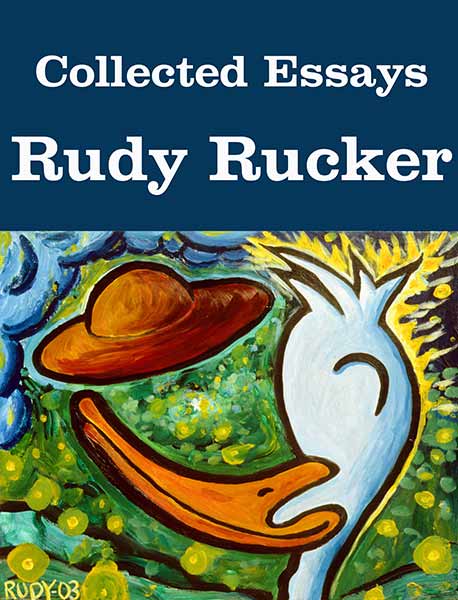
Collected Essays, at Transreal Books

Monday, April 16th, 2012

A new Transreal Books title goes live today!

Now selling for $4.95. Go to the Transreal Books page to buy the book from Amazon or to buy the Epub or Mobi (for Kindle) files directly from Transreal Books. Barnes & Noble link coming soon. Book will eventually be in the iBook store as well.

Collected Essays includes the nonfiction pieces from my two earlier collections, Transreal! (1991) and Seek! (1999). And many, many newer essays have been added as well. How to write, history of Silicon Valley, semi-technical articles on graphics, the philosophy of computer science, travel notes, off-beat memoirs—it’s all here.

Collected Essays weighs in at twice the length of an ordinary book, with sixty articles and about a hundred illustrations, many in color.

The essays fall into seven parts:

(1) “The Art of Writing.” Manifestos and talks about writing science-fiction.

(2) “Silicon Valley.” Cool scenes Rucker witnessed as he rode the Silicon Valley computer wave for over twenty years, starting in 1986.

(3) “Weird Screens.” Graphical programs that have obsessed Rucker—cellular automata, artificial life, fractals, space curves, and virtual reality.

(4) “Futurology.” Playful raps and speculations about the coming times.

(5) “The Philosophy of Computation.” Digital immortality, artificial intelligence, and the birth of a universal mind.

(6) “Personal Stories.” Tall tales and reminscences of strange times.

(7) “Mentors.” Appreciations of the great minds and wild freaks who led Rucker along his path: Kurt Gödel, Martin Gardner, Robert Scheckley, William Burroughs, Allen Ginsberg, Ivan Stang and Stephen Wolfram.

Go get it at Transreal Books .

NYC #2. Museums. Ground Zero.

Saturday, April 14th, 2012

I’ve been kind of strung-out on computer programming for the last month. Turning some of my old stuff into ebooks. I keep meaning to write up a detailed “how to publish an ebook,” but I keep learning new stuff. So many gotchas.l

I’ll be announcing my new ebook, Collected Essays, on Monday or Tuesday, and it’ll be available via several channels on my Transreal Books site. But today is Saturday, and not a good time to launch a web product. Today I’m mainly posting more photos from our trip to Manhattan early in March.

As I mentioned, we were on the 34th floor of a hotel on 8th Ave near Times Square. The window actually opened, a little bit, and it was so awesome to look down at the people. Great morning shadows of the cyclists.

And the skyscrapers at night. Another world.

The Met has a renovated section of art from the Arabian countries. Wonderful stuff. One of my favorites was this calligraphic emblem called a “tughra,” from the court of Süleyman the Magnificent, 1555. The pieces of it stand for parts of Süleyman’s titular name. But the details make it rather conspicuously difficult to forge.

Interesting Babylonian art near the Arabian art wing of the Met, too. R. Crumb used to draw flying vulture demonesses. Maybe he’d done some actual art-historical research.

Naturally we hit the MOMA as well. Nice atrium. Great to see the golden oldies of modern art upstairs. For some reason Picasso’s “Girl Before a Mirror” is in storage. The biggest draw right now is van Gogh’s “Starry Night.” Kind of a weird 21st century crowd in front of it, all foreign tourists, and every single one is holding up a camera or cell phone to get a picture of the actual painting in actual real life—photography is allowed, and by now everyone finally understands not to use their flash. But weird to have this anenome mass of arms with cameras on the tips. SFictional.

The really great new thing at the MOMA was a retrospective show of Cindy Sherman’s work. I looked it over first with Sylvia, then with our cinematographer friend Eddie Marritz. We liked her early work “Untitled Film Stills” almost the best, the way Cindy looks so neutral in the images, like stills from European films, she said. Lot’s of exhibition eye-candy here.

I don’t think I mentioned that in this gallery where I did my reading, the Soho Gallery of Digital Art, they had about thirty computer display screens on the walls. So they can put up any show at all with an hour or two of fiddling with the central controller machine. I’d emailed them a link to my paintings site, so they had a lot of my paintings “on” the walls. Was nice to see them.

Yet another museum to mention is the Whitney. They had the Biennial show. Like so many Biennials, this was “the worst one yet.” Nobody takes the time/trouble to develop any craftsmanship anymore. Piles of garbage on the floors, YouTube-level videos of like a woman chewing food and spitting it out. An artist sleeping on a bed installed in the Whitney galler. Six art-school-hallway-type paintings with unmixed colors right out of the tube painted in *wow* squares along the edge of the cheapest possible pre-stretched canvases. It’s all about the accompanying rap. The best thing I saw at the Whitney was a pile of blue-painted wood things leaning outside. (Droned the old man.)

The good old Empire State building is still there, so 1940s, such a dowager. Looking at it near the city-block-sized Macy’s. You don’t specifically find what you’re looking for in a store that big, everything is scattered around. Eventually you happen on what you need. Or on something like it.

We went down to Ground Zero, former site of the World Trade Center. Out in California, I’d had the mistaken impression that they were still stalled in arguments about what to build. But they’re moving right along. Lots of cranes, and there’s a new tower growing up.

The memorial in the central area is deeply moving. They have two square holes in the ground, exactly matching the footprints of the fallen towers. In each hole, water flows down the sides, across a flat part at the bottom, then down into a black pit.

Kind of like the course of life. You come from who knows where, sparkle in the sun, end up on a level plateau, then disappear into darkness.

All the names of the dead are cut into the heavy metal railings around the edges. This is one of the the most moving monuments I’ve ever seen, along with the Vietnam Veterans Memorial Wall in DC.

And how are you supposed to feel about it? Sorrowful, certainly. Wistful for the more peaceful times before. But—vengeful, angry, bellicose? That’s natural too. But you don’t want to take it out on a whole country or a whole region of the world.

I don’t see why President Obama doesn’t get more credit for finally tracking down Osama Bin Laden. It was good to get that done. A step towards closure.

And the rebuilding at ground zero is wonderful to see.

Manhattan is, at some meta-level, a living organism. Energy flows down the long avenues in the morning, with each crossing lit by the rising sun. It’s a hive, Manhattan, an anthill, an indestructible giant paramecium. Long may it wave!

NYC #1, plus Two Podcasts (Interview, Anarchy)

Saturday, March 31st, 2012

I’m a little behind on the journal aspect of my blog. This month I was busy finishing issue #13 of Flurb, and then converting the issue into ebook format. But before that, my wife and I were out in NYC for a week. So today I want to blog some of that.

Actually, before New York, I need to post this picture of the hippo at the San Francisco zoo. Hippos are among my very favorite animals. The comely bulk, their smoothness, their nimble lightness on their feet, and the fact that they’re said to be quite vicious and dangerous if encountered in the wild.

One of the things I did in NY was to do an interview and give a reading from Nested Scrolls at a gallery in Soho. This was organized by Jim Freund in connection with his New York Review of Science Fiction reading series and his Hour of the Wolf radio show — here’s a link to a stream of the show online, though I’m not sure how long the link will keep working. I start up about five minutes into the stream, and the show contains both my interview and my reading.


(Thoth in the Met)

Streams aren’t a convenient medium for listening on-the-go. The picture above shows me on the left fruitlessly trying to extract an mp3 of my interview from Jim Freund, partially seen on the right. He eluded the flail of Thoth! No matter. What I finally did was to capture the stream with Audacity on my computer, and then edited the interview out of the Hour of the Wolf show. And a very good interview, too. Jim’s good at this. I added it to Rudy Rucker Podcasts, click on the button below. (And I put a hint about capturing streams in the comments section down at the end of today’s blog post.)

Speaking of my Podcasts, let me jump away from NYC and up to the present for a moment. Today I was up at the Anarchist Book Fair in San Francisco and I did a panel with Terry Bisson and John Shirley. Our theme was “Anarchism and Science Fiction,” and I got a good recording of the hour-long panel. We had a nice big audience—anarchist kids in their twenties or thirties, very shaggy and bright-eyed. Not a typical SF crowd at all—actually I don’t think they were in fact SF readers. But fun to talk to. You can click on the button above to access both the Freund interview podcast and the “Anarchism and SF” panel podcast.

Okay, back to New York. We lucked into a great room in the Intercontinental near Times Square. The window even opened, a little bit, and I could peer down at wonderfully tiny Manhattanites with their early morning shadows.

The white ways of the night.

There was this burger place downstairs, the Shake Shack, at Eighth Ave and 44th St, I became mildly obsessed with the name, saying it over and over. Always a line there, every hour of the day. There’s another Shake Shack in Madison Square near the Flatiron Building—where I always go to visit Tor Books, where I was doing most of my publishing from from 1999 – 2011. An autumnal feeling at Tor this time, who knows how many more times I’ll go there.

Publishing is in such a fierce state of change. Authors are like the dinosaurs after that big meteor crashed into the Gulf of Mexico a zillion years ago. We’re trying to turn into birds as fast as we can. This object above is an Espresso Book Machine which I saw in this really great Soho bookstore, McNally Jackson Books. You can print off a print-on-demand book on the spot there, even one of your own if you want.

Print-on-demand is already fading, though, it was a weird stilt-legged trilobite of the Cambrian explosion. Ebooks are where it’s at now, where “now” might last five years. Publishing is very chaotic just now, I’ve never seen it like this. It’s like the carriage business the year after Henry Ford starting selling the Model A.

I’m glad I’m learning how to make ebooks. I’ve got my Transreal Books page working pretty well, with my Collected Stories on it, and my Collected Essays coming online soon. I made an ebook Flurb of issue #13 as well, and next fall if I can work things out with my authors and the technology, I may put together a Completely Flurb: E Flurbus Unum ebook omnibus that’s about a hundred megabytes in size. Go frikkin’ wild with this sh*t.

Anyway, back to NYC. Always so great to be in Central Park, the classic contrast between the skyscrapers and the old trees and grassy swards with humans at rest and play. Very New Yorker cover.

My wife and I have been to NYC so many times over the years, it’s kind of a constant in this changing world, the frail honks (Love the minatory traffic signs: DON’T HONK (what part of that don’t you understand??)), the siren wails, the rumble and jostle, the shuffle of feet, the smells, the windows at Bonwit’s, the rhythms of the subways, the ballet at the Joyce, the ubiquity of the New Yorkers, curt but not unkind.

I always smile when I see the perennial Army Recruitment Center in Times Square. It’s been there as long as I can remember, maybe forty years. I always imagine a group of guys on a wild spree in the Big Apple and then, late at night or in dawn’s early light, one of them reels into the Recruitment Center like a disoriented lobster who’s crookedly tail-snapping his way into a trap.

Later that day…“So this is Fort Dix!”

We happened upon the Alice in Wonderland statue in Central Park, and I posed for a photo on it—I actually did this once already, in 2005, and the reason I like to do this is that I’m thereby emulating my boyhood hero and my first actual writing mentor, Martin Gardner, who wrote a wonderful column for Scientific American for many years.

Dear Martin. He lent me about twenty rare books on the fourth dimension in 1982 when I was writing my nonfiction book, The Fourth Dimension. And now he’s dead.

Beautiful tree-shadows on the wall of the Met. And our bodies are shadows of our souls. How many dimensions?


Rudy's Blog is powered by WordPress